RabbitCast Getting Started
Install RabbitCast, sign in, find an available cast, and scan the QR code to play it.
Install the Chrome Extension
Download RabbitCast v0.3.0- Download and unzip the RabbitCast Chrome extension package.
- Open
chrome://extensionsin Chrome. - Enable Developer mode.
- Click Load unpacked.
- Select the unzipped
chromefolder.
Sign In
- Click the RabbitCast extension icon.
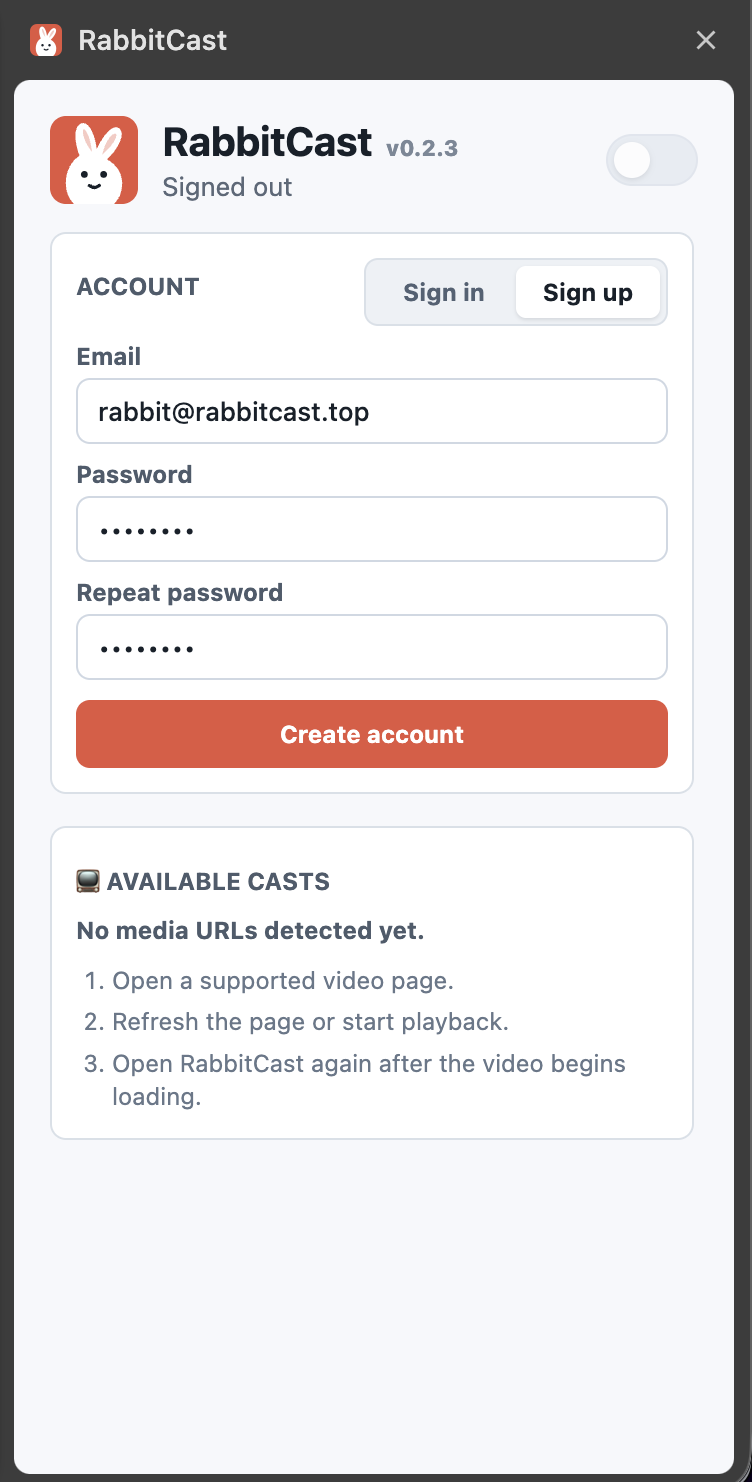
- Create an account or sign in. It's free now.
- After signing in, the RabbitCast switch can be enabled from the popup header.
Cast a Video
- Open a supported video page.
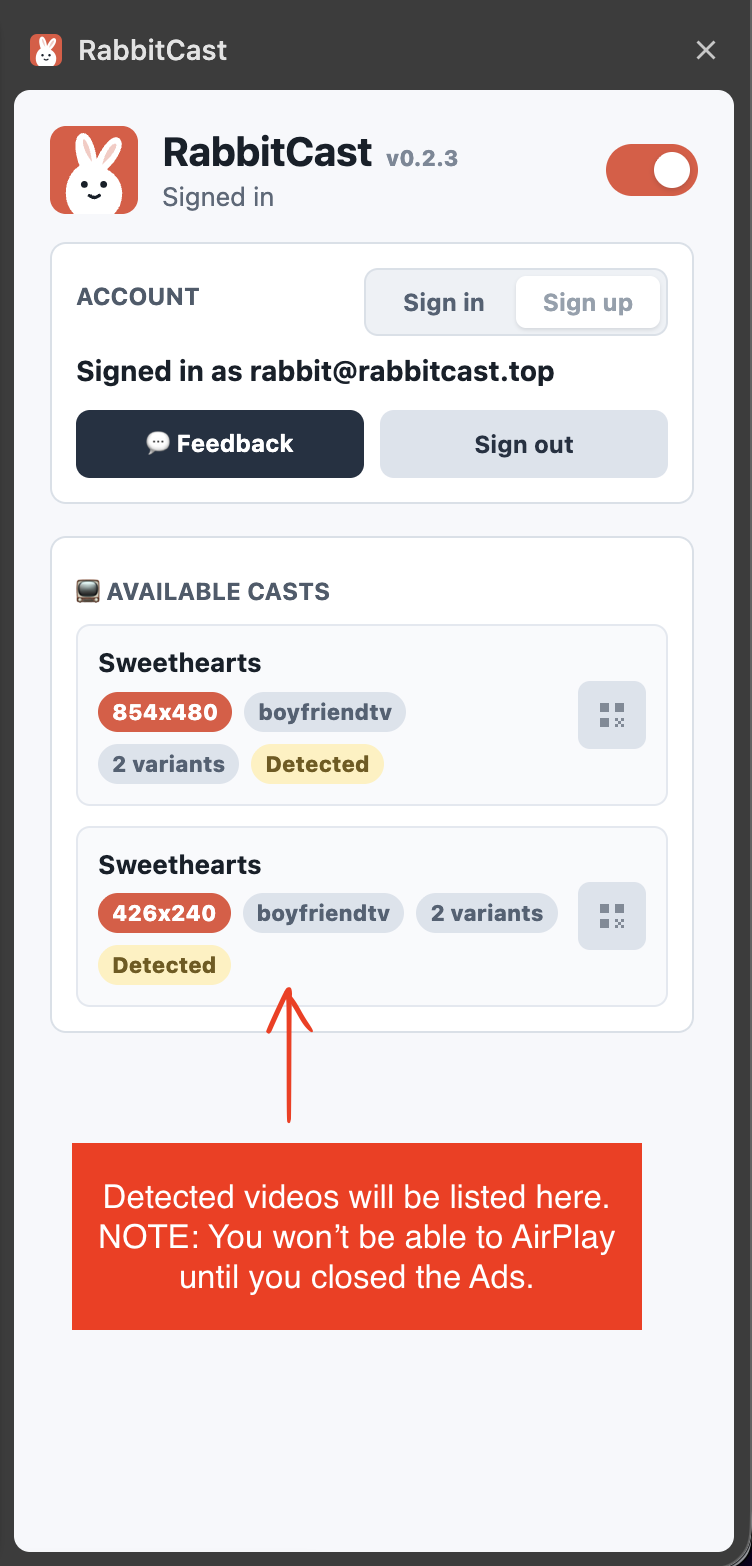
- Refresh the page or start playback so RabbitCast can detect available casts.
- Open the RabbitCast popup.
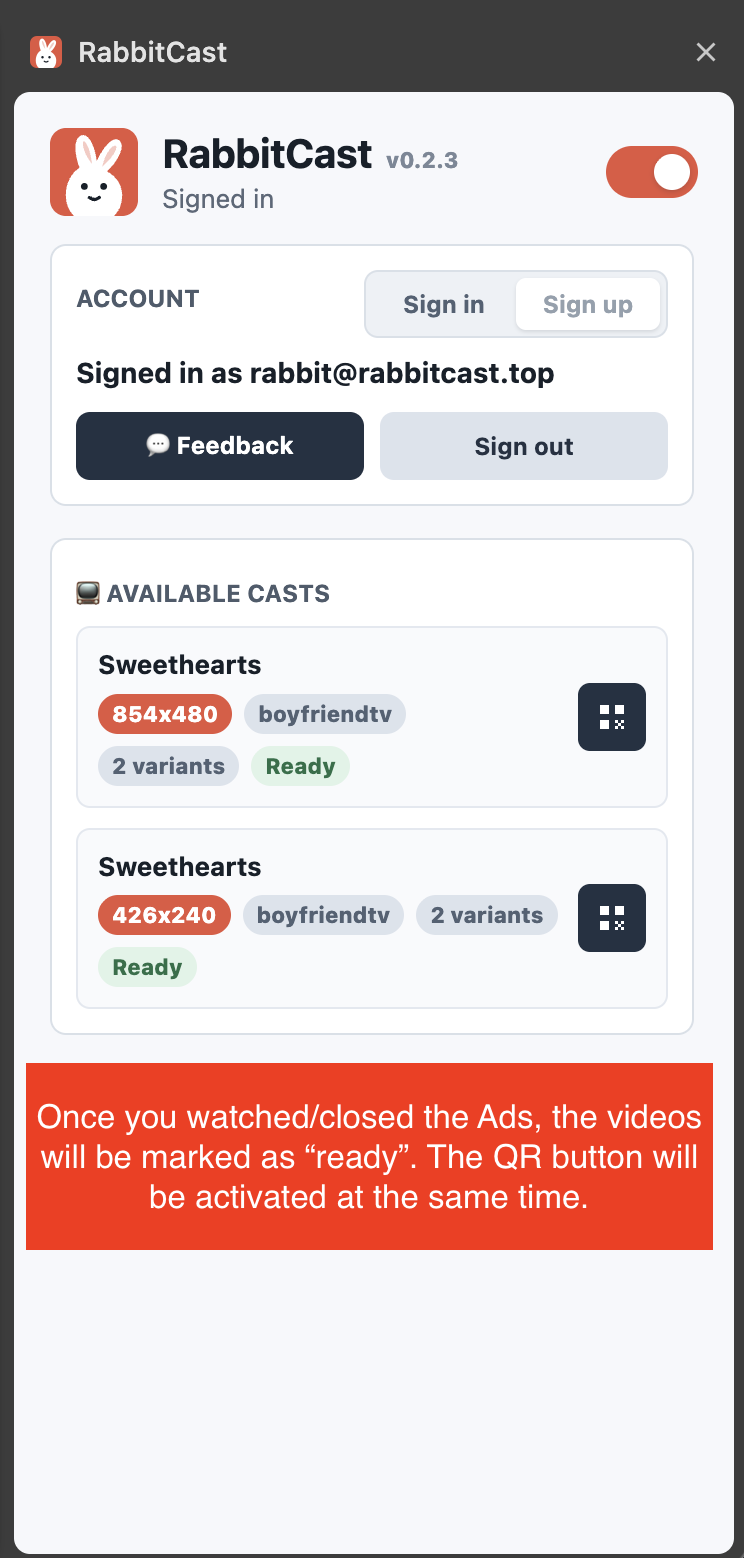
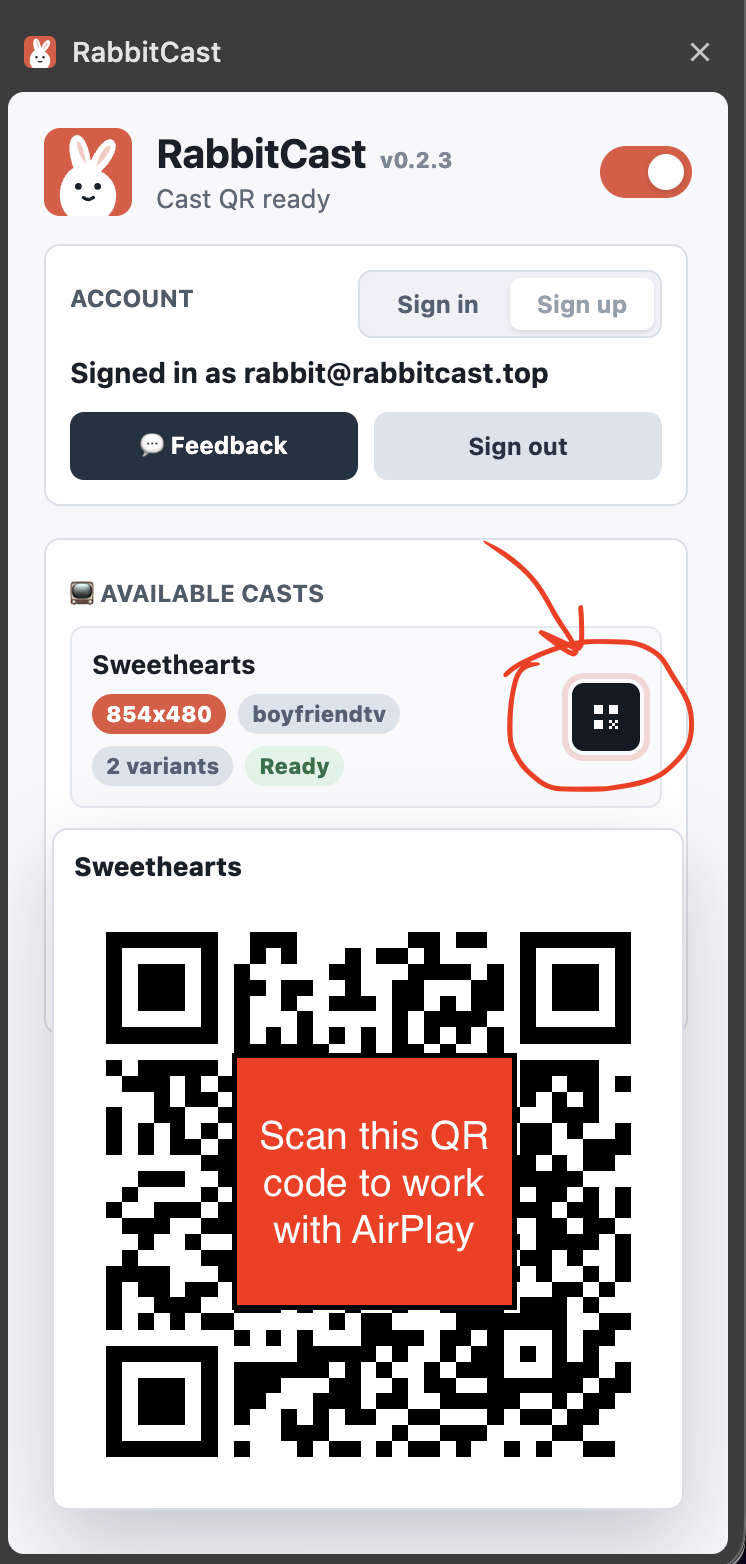
- Click the QR icon next to the cast you want.
- Scan the QR code with another device to open the playback page.
How RabbitCast Works
Follow these steps from account setup to scanning your cast QR code.
Troubleshooting
- If no casts appear, refresh the video page after signing in.
- If sign-in fails, check your connection and try again in a moment.
- Detected casts are cleared when the video page is reloaded.
- If you still need help, send us feedback.